
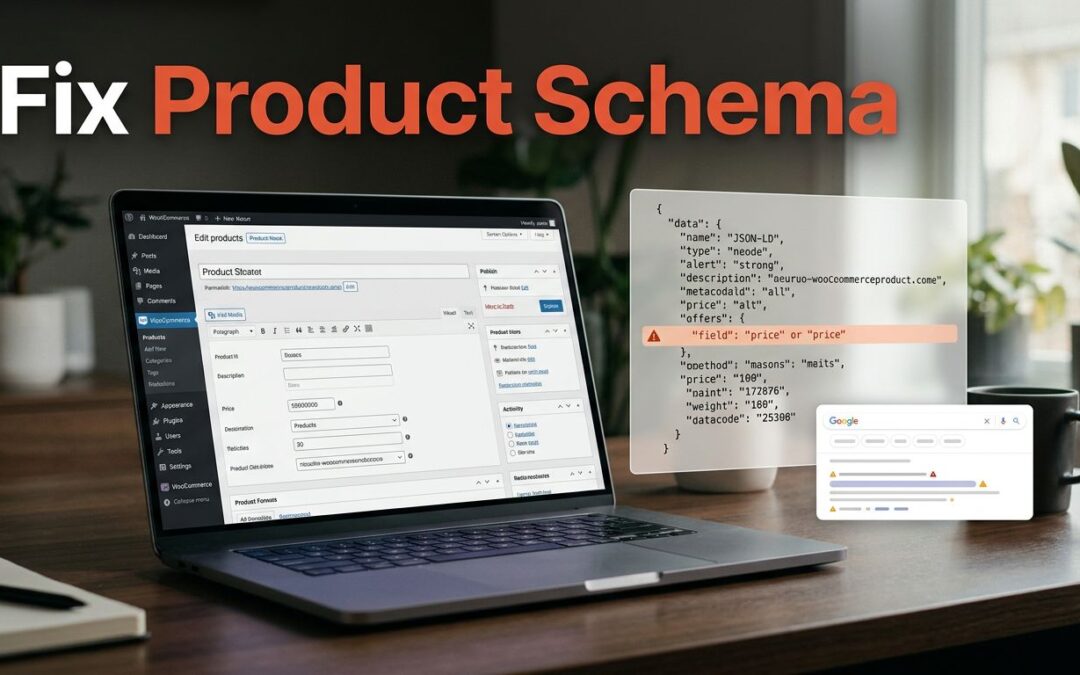
To fix missing WooCommerce product schema, first inspect the page's JSON-LD, then repair missing fields or conflicting markup. WooCommerce already generates basic Product structured data, so installing another plugin isn't always the answer.
We recommend starting with one affected product before changing your whole store. Find the missing piece, apply a focused fix, and validate the result before asking Google to crawl it again.
Key Takeaways
- WooCommerce includes Product markup, but the output depends on product data, configuration, and extensions.
- Fix required-property errors before spending time on recommended-field suggestions.
- Extend existing markup instead of adding a competing Product block.
- Valid structured data supports rich-result eligibility. Google decides whether price, availability, and stars appear.
What WooCommerce Product Schema Includes by Default
WooCommerce automatically generates basic Product markup on product pages without a separate schema plugin. Treat the following as a baseline, not a promise that every field appears for every product.
Use Product Data Schema as a practical check of how saved catalog values map to the markup Google reads.
| Product information | Schema property | What affects the output |
|---|---|---|
| Product name | name | Saved product title |
| Product description | description | Available description content |
| Product image | image | Assigned product image |
| Price and currency | offers.price, priceCurrency | Product type and pricing |
| SKU | sku | Whether an SKU exists |
| Stock status | offers.availability | Product availability |
| Average rating and review count | aggregateRating | Eligible native ratings and reviews |
The takeaway: missing catalog information can become missing markup. Start with the product editor before reaching for code.

WooCommerce's broader product data model contains more than its schema output. Version 3.0.0 introduced CRUD classes as a unified data-manipulation API. A property existing in that API doesn't guarantee its inclusion in JSON-LD.
Product variations can inherit a stock-keeping unit, weight, dimensions, and image ID from their parent. They can also have their own values. Inspect variable products separately rather than assuming the parent's markup describes every option correctly.
Find the Missing Layer Before Changing Code
Separate missing markup from missing rich results
Open an affected product while logged out. View the page source and search for application/ld+json, then find the schema.org Product object with @type set to Product.
No Product object? Investigate schema settings, custom templates, and plugins that disable WooCommerce's output.
Product markup exists, but Google shows no star ratings? That's a different problem. The page may have invalid data or lack eligible reviews. Missing star ratings or rich snippets don't prove the schema is missing. Valid markup can support eligibility for an enhancement, but Google chooses whether to show one.
Also check whether the URL is indexable. Structured data can't compensate for an excluded product page.
Remove conflicts at their source
A WooCommerce store can receive markup from core, an SEO plugin, a review extension, and a theme. Multiple structured-data objects aren't automatically wrong, but conflicting descriptions of the same product need attention.
We recommend one coordinated source for Product markup. Look for different prices, outdated availability, or conflicting rating counts.
Use staging when available. Disable suspected schema features individually, inspect the output, and keep the setting that resolves the conflict. Don't switch off unrelated SEO features across your live store.
Add Brand, Image, and Description Safely
Keep the change update-safe
Back up your store first. Add this code to the active child theme's functions.php, not the parent theme file that an update can replace. A small site-specific plugin is better when the customization must survive theme changes.
The _zdc_maker key below is a custom field, not a WooCommerce standard. Save the genuine maker name there, or replace the key with your existing manufacturer metadata key.
Extend the existing Product markup
WooCommerce's woocommerce_structured_data_product filter receives the assembled markup and product object. In the standard product-page flow, it runs inside woocommerce_single_product_summary, so no is_product() check is needed.
add_filter( 'woocommerce_structured_data_product', function ( $markup, $product ) {
    $maker = get_post_meta( $product->get_id(), '_zdc_maker', true );


    if ( is_string( $maker ) && '' !== trim( $maker ) ) {
        $markup['brand'] = array(
            '@type' => 'Brand',
            'name'  => trim( $maker ),
        );
    }


    $image = wp_get_attachment_url( $product->get_image_id() );


    if ( $image ) {
        $markup['image'] = $image;
    }


    $description = trim(
        wp_strip_all_tags( $product->get_short_description() )
    );


    if ( '' === $description ) {
        $description = trim(
            wp_strip_all_tags( $product->get_description() )
        );
    }


    if ( '' !== $description ) {
        $markup['description'] = $description;
    }


    return $markup;
}, 10, 2 );
The code checks the short description first, then falls back to the full description. It preserves existing offers, identifiers, and ratings, and returns the modified array instead of printing a duplicate block. The WooCommerce structured-data code reference documents the underlying generator.
Handle Brand and GTIN Without Inventing Data
Understand errors versus suggestions
Applicable manufacturer details and GTIN properties are recommended in Google's merchant-listing structured data. They aren't universally required for every Product use case.
Missing identifiers or manufacturer information can produce recommendations in Google Search Console. Whether they do depends on the item and report. A warning doesn't automatically make an item ineligible.
Follow the reported issue rather than filling every available field. Google's merchant listing property guidance distinguishes requirements from recommended additions.
Use genuine manufacturer identifiers
Use the manufacturer's assigned GTIN and preserve leading zeros. Your internal SKU isn't automatically a manufacturer identifier or MPN.
For products without assigned identifiers, use Google's supported handling for that product type. Don't generate a barcode number to clear a warning.
Keep manufacturer details and product identifiers separate from the MPN. The code above adds manufacturer details only; it doesn't create identifiers or establish a process for assigning them.
If your catalog contains multiple purchasable variations, attach the correct GTIN to each applicable option. A shared parent SKU doesn't establish a shared identifier.
Choose a Plugin When Catalog Management Needs It
Custom code suits a narrow, well-defined change. A plugin makes more sense when you need editor fields, bulk management, or ongoing control across a large catalog.
SEO plugins can manage Product schema, although advanced WooCommerce features may require a paid edition. Product-schema options include Rank Math, SlimSEO, and SEO Repair Kit's Schema Manager.
Choose a plugin based on your needs: accurate identifiers, variation handling, genuine review data, and compatibility with your existing schema setup. Keep one coordinated Product output rather than stacking tools.
Avoid adding aggregateRating manually to a product without genuine ratings. If your review system exposes average_rating and review_count, map those values only from genuine reviews shoppers can access. If native reviews aren't appearing, repair the review settings or display first. Schema should describe feedback shoppers can access, not create a rating your store hasn't earned.
Validate the Product Page, Then Follow Up in Search Console

Validation works best when you test the rendered page, not just the PHP you've added.
- Update the product and clear relevant WordPress, server, and CDN caches.
- Open the public product page and locate the Product data in its rendered
script type="application/ld+json"element, the ld+json script. - Copy the complete JSON-LD script into Google's Rich Results Test code input.
- Resolve required-property errors, then test the published URL.
- Inspect the URL in Search Console and request indexing after the fix is live.
Match markup to the storefront
Compare the detected name, image, product price, currency, availability, and ratings with what shoppers see. Test a simple product and a variable product when your store sells both.
A successful syntax check won't catch every business-data mismatch. An old cached price can still be valid JSON.
Respond to the actual validation result
Missing required data needs a direct repair. Missing recommended data deserves attention when that information genuinely applies.
Google's Product snippet requirements explain the eligibility rules. A passing test doesn't guarantee a rich result.
For an existing Search Console issue, use Validate Fix after deployment. Reporting updates depend on recrawling and processing, so they aren't immediate.
Connect Schema, Merchant Center, and Your Hosting
Product schema and a Merchant Center feed are separate systems, but their information should agree. Google's guidance on sharing product data explains how structured data supports its understanding of prices and other catalog details.
Keep feed IDs stable across updates. Match each variation's price, stock status, image, and landing page. Shipping and applicable tax settings also need their own Merchant Center configuration.
Our WooCommerce Merchant Center feed guide covers those connections. A successful feed upload doesn't repair incorrect storefront data or guarantee approval.
Hosting supports the store behind this process. It doesn't add missing manufacturer information or correct an invented product identifier. Reliable page delivery and predictable caching help Google receive your updated markup.
If you're also choosing a hosting foundation, our ZADiC WordPress hosting starts at $9.99/month. We recommend matching hosting and server controls to your store's workload, rather than buying a larger plan to solve a schema-setting problem.
Frequently Asked Questions
Does WooCommerce need a separate schema plugin?
No. WooCommerce generates basic Product markup itself. Add a plugin when you need extra management tools or fields, not simply because search results lack stars.
Can this filter fix every schema error?
No. It adds brand, image, and description when those values exist. Missing offers, incorrect prices, conflicting markup, and identifier issues need their own targeted fixes.
Should schema changes appear in Google immediately?
No. Google must crawl and process the updated page. Even valid, indexed Product markup doesn't guarantee a particular rich-result presentation.
Give Google Accurate Product Information
Fixing WooCommerce product schema starts with accurate catalog data and a clear view of what the page outputs. Add missing information, remove conflicts, and validate the public URL.
We recommend keeping each change focused and easy to maintain. Your schema, storefront, and product feed should tell the same story, so shoppers get consistent information before they reach checkout.