
In the subdomain vs subdirectory debate, moving a blog to blog.example.com can look neat. Still, URL structure and site architecture choices affect SEO rankings, tracking, and how easy the site is to run from the root domain.
When we’re comparing subdomain vs subdirectory, we start with one rule. If the content supports the main brand, it should usually live on the main domain. That keeps links, trust, and user journeys in one place.
A subdomain still has a place. We use it when a section needs real separation, not when we only want a cleaner-looking URL.
Key Takeaways
- For blogs, help centers, and brand-aligned stores, subdirectories on the main domain outperform subdomains by consolidating link equity, domain authority, and SEO signals while simplifying management and tracking.
- Subdomains suit cases needing true separation, such as different tech stacks, teams, security needs, or isolated business units, but they split authority and require extra cross-linking efforts.
- Google handles crawling and indexing more efficiently for subdirectories, making them the default choice to avoid future migration costs like redirects and ranking dips.
- Keeping supporting content in subfolders keeps user journeys seamless, boosts organic traffic, and strengthens overall SERPs performance without diluting backlinks.
What changes when we choose one structure over the other
A subdomain creates a separate branch from the root domain, such as blog.example.com. A subdirectory, or subfolder, integrates directly into the main domain, like example.com/blog.
Both subdomains and subdirectories can rank well in the SERPs. However, they impact site growth differently. According to John Mueller, Google Bot handles crawling and indexing of subdirectories more efficiently within the main domain, preserving link equity and domain authority. Current guidance favors subdirectories for brand-linked content since they consolidate signals on the root domain, as detailed in Semrush’s comparison of subdomain vs. subdirectory.
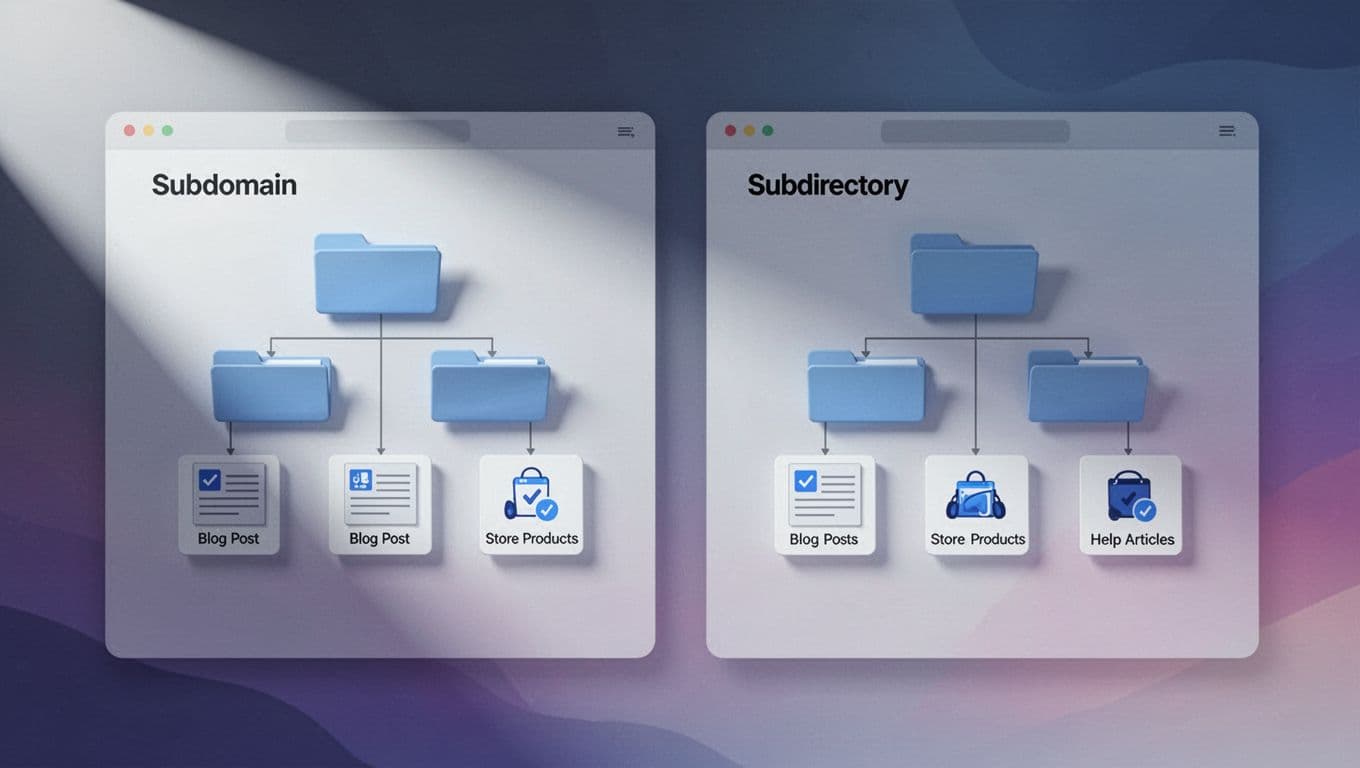
This quick view helps frame the choice:
| Use case | Better fit | Why |
|---|---|---|
| Company blog | Subdirectory / subfolder | Posts support the main domain and share its domain authority |
| Help center | Subdirectory | Articles stay close to product and service pages on the root domain |
| Store on the same brand | Usually subdirectory | Products, content, and support strengthen SERPs visibility together |
| Separate business or isolated tech stack | Subdomain | Easier to split systems, teams, or risk |
In practice, the issue goes beyond basic crawling; it centers on operational challenges. A subdomain demands its own reporting, Search Console property, and standalone link growth. A subdirectory keeps everything simpler on the main domain, which accelerates progress and SERPs performance.
There is also a cost to changing later. Moving from a subdomain to a subdirectory can involve redirects, content shifts, and ranking swings best avoided. That is why we default to subdirectories and subfolders, shifting to a subdomain only when true separation is needed.
For blogs and help centers, subdirectories usually win
A blog and a help center are support assets. They educate visitors, answer objections, and move readers toward a sale. Because of that, we want them as close to the main site as possible, which is why a subdirectory structure on the main domain often outperforms a subdomain setup.

When a post lives in a /blog subfolder, every internal linking opportunity can reinforce product pages, service pages, and articles that already matter. This subdirectory approach boosts organic traffic and improves search rankings compared to isolating content on a subdomain. The same applies to a help center at /help or /support subfolders. A reader lands on a fix, trusts the answer, and then can move straight into checkout or contact, all while enjoying a seamless user experience. Portent’s article on where a blog should live makes a similar case for content tied to a main site.
If the content exists to support the main brand, we usually keep it on the main domain.
Help centers deserve the same treatment. Articles about setup, returns, billing, or account issues often rank for problem-based searches. When those pages sit in a subdirectory on the main domain, the jump from answer to sale is shorter. Support content can lift conversion instead of sitting in a silo, preventing backlink dilution and helping aggregate backlinks to strengthen overall search rankings.
There is also the day-to-day side. Shared navigation is easier. Analytics are cleaner. Cookies, search tracking, and internal linking usually need less patchwork, enhancing user experience across the site. This technical SEO choice between subdirectory and subdomain directly impacts organic traffic growth for blogs and help centers.
For WordPress sites, we can keep this setup simple with WordPress hosting plans and features if we want managed updates and backups. If we prefer more hands-on control, reliable cPanel hosting starting at $4.99 gives us one-click installs, useful control, and room to build /blog or /help subfolders without extra setup.
A subdomain for a help center or blog can still make sense when third-party software forces it. Even then, we go in knowing we may need extra work to keep tracking and discovery tidy, especially since subdomains split authority from the main domain and dilute backlinks.
For online stores, the answer depends on how separate the store is
Ecommerce stores make this choice harder because tech stacks vary. A WooCommerce shop, a Shopify storefront, and a custom checkout all create different needs.

If the ecommerce store is part of the same brand, we still prefer a subdirectory in most cases. A /shop section on the root domain keeps product pages, blog posts, and help articles connected under the main domain. That helps visitors move from discovery to trust to purchase without hopping across properties. It also keeps authority building in one place and avoids keyword dilution, which matches the tradeoffs discussed in Cloudflare’s SEO best practices on subdomains and subdirectories.
We usually choose a subdomain for a store when one of these is true:
- The store runs on a platform that is hard to place inside the main site, even with tools like a reverse proxy or CNAME record.
- The checkout needs tighter isolation for speed, security, or compliance on a separate server.
- Different teams manage the store and the main site as separate entities.
- The brand, audience, or country targeting is meaningfully different, allowing a subdomain to build niche authority.
A subdomain is not a bad choice on its own. It is a tradeoff. If the store platform forces separation, we can still build a strong experience, but we need better cross-links, stronger navigation, and a solid hosting setup behind the main site, perhaps starting in a staging environment.
If those cases do not apply, a subdirectory is often the better long-term move. When we’re building with WooCommerce, our affordable WordPress hosting options make it easier to launch the site, blog, and shop together under one domain, then scale up without rebuilding the whole structure from subdomain to subdirectory.
Choosing subdomain vs subdirectory is mostly a question of separation. If the blog, store, or help center supports the same brand, we usually keep it in a subdirectory and let every page add value to the same domain instead of splitting a subdomain apart.
A subdomain still has a purpose, but only when the project needs its own platform, team, or rules. When we keep the structure simple from the start with a subdirectory approach, hosting is easier, reporting is cleaner, growth stacks up instead of splitting apart, and a clean URL structure supports long-term SEO goals.
Frequently Asked Questions
When should I choose a subdirectory over a subdomain?
Choose a subdirectory for any content that supports your main brand, like blogs, help centers, or integrated stores. It keeps everything under one domain for better SEO consolidation, easier tracking, and smoother user experiences. Reserve subdomains for scenarios requiring real separation, such as distinct tech stacks or teams.
Do subdomains hurt SEO compared to subdirectories?
Subdomains can rank well but often dilute authority and backlinks since Google treats them somewhat separately. Subdirectories preserve full link equity and signals on the root domain, which John Mueller and SEO experts favor for brand-linked content. The choice impacts growth, but subdirectories simplify progress without extra silos.
What’s the best structure for a company blog or help center?
Subdirectories like example.com/blog or /help win for blogs and help centers as they tie educational content directly to product and service pages. This boosts rankings, conversions, and internal linking while sharing domain authority. Only use a subdomain if third-party tools force isolation.
Can I put my online store on a subdomain?
Prefer a /shop subdirectory if the store aligns with your main brand to keep discovery, trust, and purchases connected under one domain. Opt for a subdomain when platforms like Shopify demand separation, security isolation, or different teams are involved. Either way, strong cross-links help mitigate tradeoffs.
Is it hard to switch from subdomain to subdirectory later?
Switching involves redirects, content moves, and potential ranking fluctuations, so plan ahead to avoid it. Default to subdirectories from the start for simpler hosting, analytics, and long-term SEO gains. Subdomains add operational overhead best reserved for necessary splits.