

A category page can be much more than a simple list of blog posts. By focusing on effective WordPress category page SEO, you can transform these archives into useful search landing pages that help readers find answers while helping your site earn more organic traffic.
Many WordPress sites leave their category pages untouched. The result is often a thin archive with a vague title, no introduction, and a long list of unrelated posts. You can fix these issues by implementing a logical site structure, creating descriptive category names, adding unique page content, and ensuring your hosting environment keeps everything quick and reliable for your visitors.
Key Takeaways
- Treat each category as a focused topic hub, not a storage folder for old posts.
- Use descriptive names, clean URLs, useful introductions, and relevant post excerpts to improve user experience and guide the visitor journey.
- Connect category pages to related posts, key service pages, and other helpful resources.
- Review indexing, canonical URLs, breadcrumbs, pagination, mobile performance, and structured data.
- Choose WordPress hosting that supports fast page loads, SSL, security, backups, and growth.
Start With a Clear Category Structure
Effective WordPress category page SEO begins long before you touch a plugin or write a headline. It starts with your site structure.
Categories act as the backbone of your website, telling readers how your content fits together. They also provide search engines with vital context, effectively creating an SEO silo that helps crawlers understand the topical authority of your site. If your categories are broad, repetitive, or packed with unrelated articles, that context becomes muddled and harder for search engines to index correctly.
Think of your category structure like the shelves in a well-organized shop. A visitor should know exactly where to look for information without needing to ask for directions. A category labeled “WordPress Security” is clear and specific. A category simply called “Tips” is too vague and could contain almost anything.
Most sites function best with a small, focused group of top-level categories. A business website centered on WordPress and hosting might use clear, descriptive categories such as:
- WordPress management
- Website security
- Search optimization
- Hosting advice
- Email marketing
Each category should serve a distinct purpose. Before creating one, ask yourself:
- Will we publish several high-quality articles about this topic?
- Does the topic matter to our target audience or business goals?
- Can a reader immediately understand the content focus from the category name alone?
- Does it cover a subject that is not already handled by an existing category?
If the answer to these questions is no, the category may not deserve its own archive page.
It is also important to remember that categories and tags serve different functions. A category groups content into a main subject area, while a tag describes a smaller, specific detail, such as WooCommerce, SSL, or contact forms. You should avoid creating a new category for every minor topic.
| Use a category when… | Use a tag when… |
|---|---|
| The subject is a main content area | The subject is a smaller detail |
| Readers may browse it directly | It connects posts across categories |
| We plan to publish regularly | It may appear only in a few posts |
| It has a clear business or audience purpose | It adds useful descriptive context |
A useful guide to WordPress categories and tags can help you review these differences before you begin cleaning up your taxonomy.
Once your structure is in place, try to keep it stable. Changing category names and slugs frequently can create broken links and confusion for returning readers. If you do need to rename a category, manage the process carefully within your WordPress dashboard by updating your internal linking strategy and implementing 301 redirects to ensure the old URL properly points to the new one.
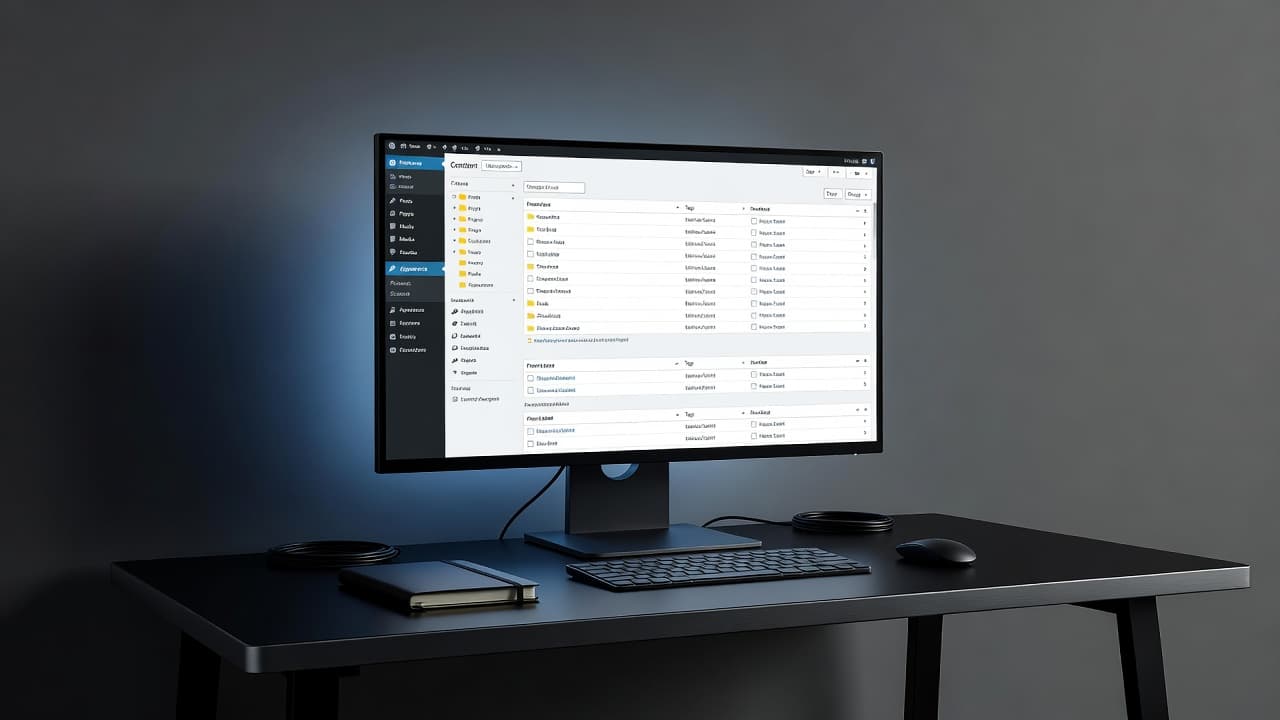
When managing these categories from your WordPress dashboard, ensure you are consistently checking that your URLs remain clean and descriptive. This ongoing maintenance helps maintain the health of your site structure over time.
Give Every Category Page a Search Purpose
A category page needs a clear reason to appear in search results. Titles like “Our latest posts” provide a weak foundation, whereas a focused topic like “WordPress backup guides for small businesses” gives readers a much clearer promise.
We can define that purpose by analyzing search intent to understand what users actually want when they search. Consider the questions, problems, and decisions connected to the category, then shape the page around the strongest shared need. By identifying the primary search intent, you ensure your content aligns with what the user expects to find.
For example, a category called “Website Security” could target readers who want to:
- Protect a WordPress site from common threats
- Add an SSL certificate
- Recover after a security problem
- Choose a backup and monitoring setup
The category page does not need to answer every question in full. Its job is to organize the best answers and guide readers to the next useful step.
Search results can reveal the specific language people use. We can review related searches, autocomplete suggestions, competitor category pages, and questions that appear in customer support conversations. Existing website data also helps. Google Search Console can show which queries already bring impressions to a category URL. Use these insights to identify your target keyword, which will serve as the anchor for the category, while using long-tail keywords within individual articles to capture narrower, more specific traffic.
Avoid choosing a different primary topic for every post within the same category. The category should cover the wider subject, while each article handles a more specific question.
A strong structure might look like this:
- Category: WordPress security (Target keyword)
- Article: How to secure a WordPress login page (Long-tail keyword)
- Article: How to install an SSL certificate
- Article: How to clean malware from WordPress
- Article: How to choose website backups
The category page connects those articles under one clear subject. That connection helps readers browse, and it gives search engines more information about the page focus.
We should also consider the business purpose. A hosting company may create a category for WordPress speed because visitors often need better performance before they choose a hosting plan. A category for domain management may support readers who are preparing to launch a site.
That does not mean every category should focus on a hard sell. Helpful content comes first. Still, the topic should connect naturally to the products or services you offer.
Optimize the Category Name, URL, and Metadata
Small page elements carry a lot of weight because they tell readers what they are about to find. We should make each one clear, specific, and consistent.
The category name should reflect your target keyword to help users and search engines identify the page subject immediately. This name appears in menus, breadcrumbs, archive pages, and sometimes search results. Use a short phrase that describes the subject in everyday language. For instance, “WordPress Hosting” is a much stronger choice than “Resources for Sites.”
The slug should be short and readable. For example:
- /category/wordpress-hosting/
- /category/website-security/
- /category/seo-guides/
Remove unnecessary words, dates, and repeated terms. We should avoid changing a slug after the page has earned links unless there is a strong reason.
Next, write a meta title that combines the topic with a useful benefit. A meta title such as “WordPress Hosting Guides for Faster, Safer Websites” gives readers more information than “WordPress Hosting Archives.” The meta title should match what the page actually offers. Do not promise a complete guide if the page only lists three loosely related posts.
The meta description does not directly control rankings, but it can affect whether someone chooses our result. Use it to describe the page in plain language. Mention the subject, the type of content, and the audience when it fits.
For example:
Find practical WordPress hosting guides covering speed, security, backups, setup, and site growth for small businesses.
We should also write a short category description at the top of the archive page. Two or three paragraphs are enough for most categories. Explain the topic, identify who the content helps, and point readers toward the most useful articles.
Do not copy the same category description across several archives. Duplicate text makes pages feel unfinished and gives readers no reason to choose one category over another.
A well-written category description might say:
WordPress hosting affects how quickly your pages load, how easily you manage updates, and how confidently you can grow your site. We share practical advice for choosing a plan, improving performance, handling backups, and keeping your website secure.
That copy tells readers what to expect. It also gives search engines meaningful text to understand.
Use one clear H1 tag for the page. In most WordPress themes, the category name becomes the H1 tag automatically. Check the page source or theme settings rather than adding another large heading without a reason.
Turn the Archive Into a Useful Topic Hub
A category archive should function as a comprehensive content hub that helps readers make a clear decision about what to read next. A bare grid of post titles rarely achieves this goal effectively.
Start by showcasing your most useful content. If the category includes a cornerstone guide, place it near the top of the page. You might feature a foundational article, a recent update, or a beginner-friendly starting point. The right choice depends entirely on your specific audience and the topic at hand.
Post excerpts are helpful only when they are specific. They should explain exactly what each article covers rather than simply repeating the title with different words. A good excerpt answers one quick question for the reader: “Why should I read this post?”
For example:
- “Learn how to identify slow WordPress plugins and reduce the work your server has to handle.”
- “Compare managed hosting and VPS hosting before moving a growing business website.”
- “Follow a practical backup routine that protects files and the WordPress database.”
Use descriptive featured images paired with useful alt text. Alt text should describe the image for people using screen readers; it should be descriptive rather than a simple list of keywords.
Strategic internal linking is another essential part of category page SEO. Use internal linking to connect the introduction to your strongest guides and link related articles where the relationship is clear. You can also link to relevant hosting plans, website security services, email tools, or domain registration pages.
Keep those commercial links helpful. A reader browsing WordPress speed advice may reasonably want to compare faster hosting services. A reader exploring contact forms may need professional email solutions. The link should feel like a natural next step, not an interruption.
A breadcrumb trail can also help visitors understand their location within your site. A path such as:
Home > WordPress Guides > WordPress Security
makes the relationship between pages easy to follow. A breadcrumb trail is especially useful on sites with several categories and subcategories, as it improves site navigation.
Don’t create a category page with hundreds of posts and no order. Use pagination, featured content, or a sensible display limit. The page should remain easy to scan on a phone just as effectively as it does on a desktop screen.
Improve Technical SEO for WordPress Categories
Once the content is useful, we can review the technical SEO settings that control how category pages appear to search engines. Technical optimization is vital for ensuring your site structure is efficient and that your crawl budget is spent on high-value pages rather than low-quality archives.
First, check whether the category is indexable. Popular WordPress SEO plugins allow you to choose whether categories, tags, author archives, and date archives appear in search results. You should not automatically block every taxonomy page, as a focused and useful category can serve as a high-performing landing page. However, thin tag archives with only one post offer little value and can waste your crawl budget, so it is often better to keep these pages out of the index.
Popular tools such as Yoast SEO and Rank Math provide essential settings for archive titles, descriptions, breadcrumbs, canonical URLs, and XML sitemaps. Use only one SEO plugin to avoid conflicts that may interfere with your site performance.
Check the following areas:
- The category has a single preferred URL.
- The page appears in the XML sitemap only when it is intended to be indexed.
- The canonical URL points to the correct category address to prevent issues with duplicate content.
- No accidental noindex settings are blocking valuable pages.
- Pagination works correctly when the archive contains multiple pages.
- The category uses a clean, descriptive slug without unnecessary duplication.
- Breadcrumbs accurately reflect the site hierarchy.
Canonical URLs are particularly important when similar archive pages display overlapping content, as they tell search engines which URL should be treated as the master version. While they do not fix poor page organization, they effectively reduce confusion caused by duplicate content variations across your site.
Pagination also deserves a quick test. Open the second or third archive page and confirm that it loads, contains crawlable links, and does not redirect visitors back to page one. If possible, avoid forcing every page of an archive to use the exact same title and description, as distinct paginated metadata can improve click-through rates.
Structured data can further support the page when your theme or plugin implements it correctly. Breadcrumb schema is often useful for search visibility. However, avoid adding schema that does not match the visible content, and do not expect markup alone to improve the rankings of a weak or irrelevant page.
Search engines still require accessible content to index your site properly. Ensure the category page functions without complex filters that hide posts behind heavy JavaScript, and make sure important links remain visible and usable for all visitors.
For a practical visual walkthrough, we can also review this WordPress category taxonomy tutorial. After making these technical updates, test the page in a private browser window and on a mobile device to verify the user experience.
Make Category Pages Fast and Easy to Use
A category page often includes several images, post cards, menus, tracking scripts, and related content. Without proper maintenance, these elements can negatively impact page speed, making the archive slower than the individual articles it links to. This is especially critical for an ecommerce store where organized category paths must load instantly to keep shoppers engaged.
Start with the basics. Use a lightweight theme, compress images, remove plugins that duplicate features, and keep WordPress core, themes, and plugins updated. Lazy loading can help images that sit below the first screen, while oversized hero images can slow the page before a visitor sees the content.
Hosting affects how quickly WordPress can respond. Shared hosting may work for a small site with modest traffic, but a busy content library may need more server resources, caching, or managed support.
We should look for hosting that includes:
- Reliable server performance
- Free SSL on the chosen plan
- Automated backups or a clear backup option
- Security monitoring and malware protection
- WordPress-friendly caching
- Easy staging or migration tools
- Support from people who can help with real site issues
That infrastructure does not replace good page design. It gives the design a better chance to load quickly and stay available.
With ZADiC, site owners can choose WordPress hosting for simple launches, managed Web Hosting Plus for more hands-off support, or VPS hosting when a growing website needs more control. One-click setup, security support, and human help can remove much of the technical work behind a category-driven content site.
Prioritize user experience by keeping the page visually calm. Use consistent card layouts, readable text, clear spacing, and obvious links. A visitor should not have to decode a crowded grid before finding the right article.
Watch out for intrusive pop-ups, autoplay media, and ads placed between every post. These elements can distract readers and make the archive harder to use. A category page should feel like a helpful directory, not a maze.
Connect Categories to Your Business Goals
Category pages can support sales without turning every paragraph into a pitch. The connection should come from the reader’s problem. By aligning your content with user intent, you can naturally improve your conversion rate as readers move toward practical next steps.
Suppose we publish a category about WordPress speed. A useful page can guide readers through image optimization, plugin cleanup, caching, database maintenance, and hosting choices. Once readers understand the options, a relevant WordPress hosting plan becomes a logical next step.
A security category can connect to SSL certificates, monitoring, backups, and secure hosting. A website launch category can connect to domains, email accounts, website builders, and WordPress setup.
Use clear calls to action where they fit:
- Compare WordPress hosting plans
- Set up a secure domain
- Add professional business email
- Move an existing WordPress site
- Talk with a hosting specialist
Don’t place every service on every category page. Too many choices weaken the main path. One primary action and one secondary option are often enough to keep your conversion rate stable and your messaging clear.
We should also consider what happens after the click. A reader who selects a hosting plan should reach a page that explains the plan clearly, shows what is included, and makes setup simple. A reader who needs help should find contact options without hunting through several menus.
Content and infrastructure work together here. Strong WordPress category page SEO brings the right people to the archive. Fast hosting keeps them moving. A clear service page gives them a practical next step to finalize their journey.
Measure, Improve, and Keep the Page Fresh
Optimization does not end when we publish the category page. We need to watch how people interact with it to ensure our WordPress category page SEO remains effective.
Google Search Console is essential for tracking performance, as it shows impressions, clicks, queries, and average positions for category URLs. Analytics can further clarify whether visitors open more than one article, leave quickly, or continue toward a service page.
Review the page every few months. Remove outdated links, update old descriptions, add new cornerstone content, and check whether the category still matches the evolving needs of your site.
Look for patterns such as:
- A page receives impressions but few clicks, which may point to a weak title or description.
- Visitors reach the page but open no articles, which may point to poor layout, unclear excerpts, or a clunky approach to faceted navigation that makes it difficult to find relevant content.
- One article gets most of the attention, which may make it a good candidate to become a featured guide.
- Several categories cover the same topic, which may call for consolidation to avoid keyword cannibalization.
- A category has little content after months, which may mean it should be merged into a more robust section.
We can also ask real customers what they expected to find. Support questions often reveal better category names and missing articles. If people keep asking how to move a site, we may need a migration category or a clearer path within our hosting advice.
A recent SEO discussion about optimizing WordPress category pages shows how much this topic depends on site structure, content quality, and the purpose of each archive. There is not one setting that works for every website, and successful site architecture often relies on balancing clean categories with intuitive filtering options.
Make changes one at a time when possible. If we rename the category, change the layout, rewrite the title, and alter indexing settings on the same day, it becomes harder to understand what actually helped improve our rankings.
Frequently Asked Questions
Do WordPress category pages really impact SEO rankings?
Yes, well-optimized category pages can act as powerful landing pages that capture search traffic for broader topics. By providing a clear, organized hub of high-quality content, you can demonstrate topical authority to search engines and improve your site’s overall keyword ranking potential.
Should I include a written description on my category pages?
Adding a brief, unique introduction at the top of a category page is highly recommended for both user experience and SEO. It helps visitors understand the page’s focus immediately while providing search engines with relevant, descriptive text to help them index your content more effectively.
How many categories should my WordPress site have?
Most sites perform best with a small, focused group of top-level categories that reflect the main subjects of your content. Avoid creating too many categories, as this can dilute your site structure and make it difficult for both users and search crawlers to navigate your content effectively.
What is the difference between a category and a tag?
Categories are designed for grouping content into main subject areas, providing the primary structure for your site. Tags are intended for identifying smaller, more specific details across various posts, offering additional context rather than acting as the main organizational backbone.
Conclusion
A strong category page gives every part of the archive a job. The name sets the topic, the introduction adds context, the links guide the reader, and the technical setup keeps the page accessible to search engines.
We do not need dozens of categories or complicated tools to succeed. We need a clean structure, useful content, quick hosting, and regular checks. When those pieces work together, a forgotten archive becomes a reliable path into your site and toward your services. By prioritizing WordPress category page SEO, you ensure that your archive structure is not only search engine friendly but also highly accessible for your audience.
The best place to start is simple: choose one important category, improve its purpose and page content, then check how it performs. Better category pages create clearer journeys for search visitors and for the business behind the website.