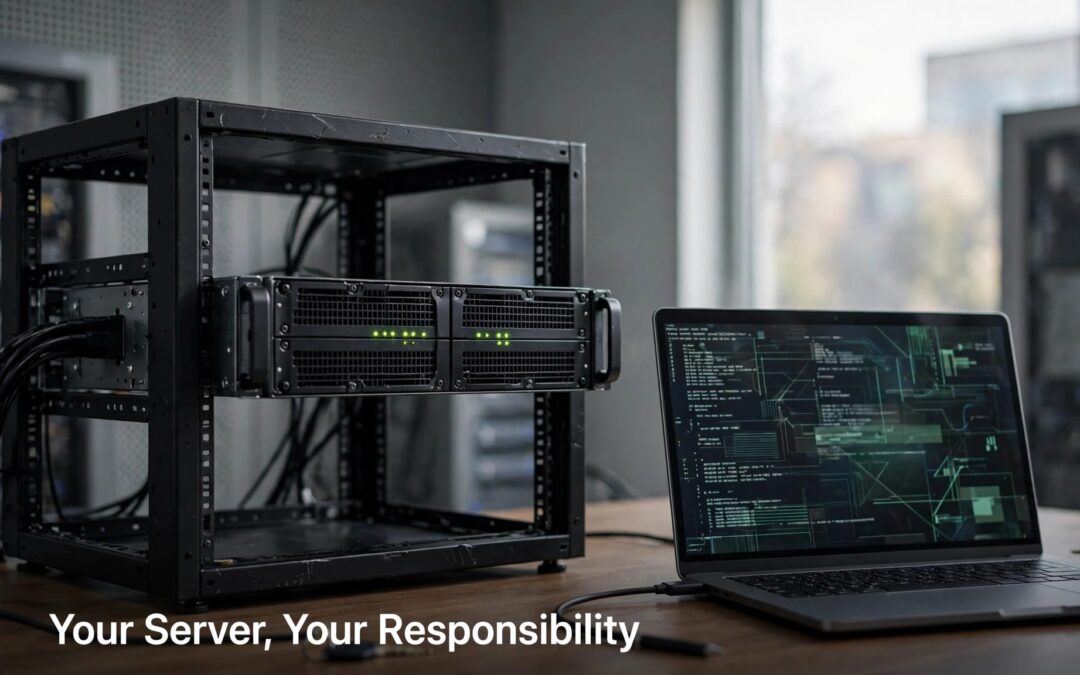
With self-managed VPS hosting, you get full root access, but server management, including the operating system, software, security patches, and maintenance, is your responsibility. Your provider runs the physical hardware, network, and virtualization layer.
That gives you full control, along with a longer to-do list than shared hosting. We recommend choosing this setup when you want that control and have someone ready to manage it. Start with the responsibility split, because it shapes the cost, workload, and support you'll need from your VPS hosting provider.
What self-managed VPS hosting puts under your control
With VPS hosting, a virtual private server gives your websites an isolated environment on a shared physical machine. You receive allocated resources, install your own software, and configure services around your workload.
Allocated RAM and storage don't automatically mean dedicated physical CPU cores, even when a plan advertises dedicated resources. Providers may list CPU allocation in vCPUs, with shared or dedicated CPU options depending on the plan.
Compared with shared hosting, the management choices determine how much control you have.
| Responsibility | Shared hosting | Self-managed VPS | Managed VPS |
|---|---|---|---|
| Hardware and network | Provider | Provider | Provider |
| Root access | No | Yes | Depends on service |
| OS maintenance | Provider | You | Provider within scope |
| Server configuration | Limited choices | You | Shared by agreement |
| Application updates | Usually you | You | Depends on coverage |
| Backups and restores | Plan-dependent | You arrange them | Plan-dependent |
We suggest reading "managed" as a defined service, rather than a promise that everything is covered. Your website content, application settings, and user access still need an owner.

Secure access and software updates become your job
Your provider can deliver a working server. What you install, expose, and leave running after that is your responsibility.
Lock down access before launching
On Linux, we recommend SSH keys and a separate administrator account with sudo permissions. Test that access before disabling password-based or direct root login.
Configure both provider-level and operating-system firewalls where available. Open only the ports your services require. Keep databases private unless remote access is necessary.
Check whether your provider offers DDoS protection, since availability and coverage vary by plan. It doesn't replace security measures you manage on your server.
Windows needs the same care. Restrict Remote Desktop access through a VPN or trusted network instead of leaving it open to everyone.
You also own administrator permissions, unused accounts, and credential changes when team members leave. Full control works best when access stays tidy.
Maintain the whole software stack
Updates go beyond WordPress plugins. Your operating system, kernel, PHP version, database, web server, control panel, and container images all need attention.
We recommend supported software releases, scheduled maintenance, and prompt action on serious security fixes. Some changes require a reboot. Others need compatibility testing before they reach your live site.
Keep a rollback path for configuration changes. A saved configuration and usable backup can turn a broken update into a manageable repair.
Installing cPanel or Plesk makes these jobs easier to organize. It doesn't transfer ownership of them.
Backups and monitoring need more than a switch
Automation helps, but someone still needs to know whether it worked. With self-managed VPS hosting, that someone is you or your administrator.
Build recovery around usable backups
Back up website files, databases, configuration, and anything else needed to rebuild the service. Keep copies outside the VPS, with separate access credentials where possible.
Database backups need a consistent capture method. Copying active database files without coordination can leave you with an unusable restore.
Snapshots are useful before changes, but we don't recommend treating them as your only backup. Retention, storage location, and restore access matter too.
A successful backup notification proves that a job finished. A successful restore proves that the backup can bring your service back.
Test restores in an isolated environment so recovery practice doesn't overwrite production.
Watch the website and the server
Monitor CPU, memory, disk space, service failures, and certificate expiry. Add an external website check, because a running virtual machine can still serve a broken checkout.
Our guidance on website uptime monitoring covers that distinction.
Give alerts a named responder. Review backup failures and availability alerts daily, schedule routine maintenance, and repeat recovery tests after major changes. Critical security patches shouldn't wait for the next calendar slot.

Compare the server price with the support behind it
Self-managed plans usually cost less because administration stays with you. The server bill is only part of the budget. Allow for backups, panel licenses, monitoring, and administrator time.
HostGator's entry pricing is about $4 to $4.69 monthly, with its VPS range reaching $99.99. Its NVMe 2, 4, 8, and 16 tiers include root SSH and API access, but exclude cPanel and 24/7 priority support.
DigitalOcean's specialized Droplets illustrate the next pricing step: CPU-Optimized starts at $42 monthly, General Purpose at $63, Memory-Optimized at $84, and Storage-Optimized at $131. Those aren't its cheapest basic servers.
Liquid Web separates self-managed, core managed, and fully managed services. It lists cPanel, Plesk, and InterWorx options. Fully managed coverage includes 24/7 support, OS and panel updates, firewall setup, PHP support, monitoring, and backup restores.
Its advertised 10 Gbps network and 99.9% server uptime guarantee describe infrastructure and availability commitments. They don't mean every application problem is automatically covered.
Storage deserves attention too. NVMe means Non-Volatile Memory Express. An NVMe SSD supports higher transfer speeds and lower latency than SATA SSD storage, as Kingston's SATA and NVMe comparison explains. Faster storage helps disk-heavy workloads, but it won't repair inefficient database queries.
Our advice: compare the vCPU allocation, management scope, and extras such as DDoS protection. A low monthly price can still leave you with substantial work.
Choose a setup your team can confidently run
You don't need every server skill on day one. Choose VPS hosting that matches your team's capacity to manage failures before they affect customers.
Match the plan to practical skills
Can your administrator handle server management and read service logs? Can they diagnose a full disk, restore a database, or reverse a failed configuration change? Can someone respond when that person is unavailable?
If those jobs are covered, self-managed hosting can fit custom software applications, demanding stores, development environments, and multiple client websites.
If nobody owns those tasks, we recommend a more managed service. Our Web Hosting Plus plans offer a simpler upgrade path for growing sites that don't need unrestricted server access.
Choose tools without confusing them with management
A panel reduces manual work. It doesn't supply an administrator.
Our cPanel and Plesk comparison explains the differences between those interfaces. Panel licensing is separate from the underlying VPS unless a plan bundles it.
For projects that need deeper control, our Linux and Windows VPS plans offer panel-based or no-panel setups, with configurations reaching 32 CPU cores, 128 GB RAM, and 1.5 TB SSD storage.
We recommend buying the capacity your workload needs, then choosing the administration tools you can support. Bigger specifications won't reduce maintenance by themselves.
Scale or migrate with a recovery plan
A standard in-place VPS upgrade can retain the server, IP addresses, and data. You can scale up by adding capacity without rebuilding the website.
The administration work continues afterward. Web servers, database buffers, PHP workers, and caches may need retuning to use the extra RAM or CPU. More memory won't help a service that's still configured for the old limit.
Moving between providers, operating systems, panels, or management services is a migration. Treat it as a move to a tested destination, with a rollback plan.
We recommend copying files and databases first, then testing the application before changing DNS. Include email, scheduled jobs, SSL certificates, DNS records, and background workers. Store orders and membership changes need a final synchronization so new activity doesn't disappear during the move.
HostGator advertises zero-downtime transfers that preserve content, themes, and plugins. Its free VPS migration offer has eligibility conditions, including a 12-month plan and signup within 30 days. This shows that migration assistance and ongoing management are separate services.
Keep the original environment available until traffic, mail, and data are working correctly at the destination.
Key takeaways before choosing a plan
- The provider maintains physical infrastructure, while you maintain the operating system and installed services.
- Control panels simplify administration, but updates, access security, monitoring, and recovery still need an owner.
- We recommend a self-managed VPS when you need custom control and have reliable administration available. Choose more managed hosting when simplicity matters more.
Frequently asked questions
Which operating system can a VPS run?
Available Linux distributions and Windows options depend on the platform. Our VPS choices include both, with root access on Linux and administrator access on Windows.
DigitalOcean lists Ubuntu, CentOS, and Debian options, custom images, and one-click applications including Docker, LAMP, LEMP, MongoDB, MySQL, and Node.js. Choose a supported OS version compatible with your application and control panel.
What support does self-managed hosting include?
Infrastructure, account, and billing support are different from software administration. With self-managed hosting, expect to own custom installations, application troubleshooting, hardening, and recovery unless those services are included separately.
Our self-managed support resources include guides, knowledge-base articles, and ticket help for account setup, billing, and basic troubleshooting.
Can a VPS be upgraded later?
Yes. VPS hosting supports adding resources as demand grows, although upgrade procedures vary. An in-place capacity increase differs from changing operating systems or moving to a new platform.
We recommend keeping a current backup before either change. Afterward, review resource limits and service configuration so the application benefits from the upgrade.
Put control in capable hands
Self-managed VPS hosting gives you room to customize, expand, and run software your way. Reliable administration is what keeps that freedom useful.
We recommend choosing it when someone can own updates, security, backups, and recovery. If you'd rather spend that time running your business, choose a more managed setup. The right hosting plan gives you the control you need and a workload you can sustain.