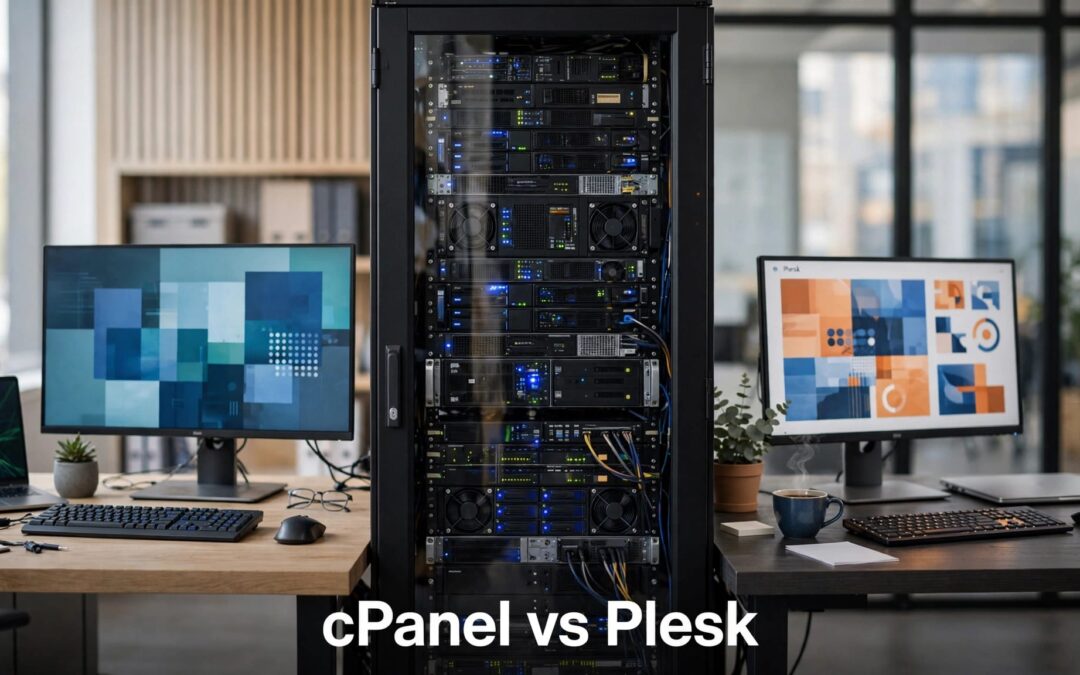
Choose cPanel for Linux hosting with separate website-owner and administrator tools. Choose Plesk when you need Windows Server support or prefer licensing built around domain limits. The cPanel vs Plesk decision starts with how you run your websites, not which dashboard looks better.
Licensing and operating-system support can settle the choice before features enter the picture. Compare each VPS control panel by the everyday tasks you need to manage, then check whether its interface is user-friendly for those tasks.
Key takeaways: cPanel vs Plesk
Here's the short version before you commit to a VPS.
| Decision point | cPanel | Plesk |
|---|---|---|
| Supported operating systems | Linux only | Linux and Windows Server |
| License measurement | Accounts per server | Domains allowed by edition |
| Administration | cPanel plus WHM | Website and server administration tools |
| Domain limits | Depend on account configuration | 10, 30, or unlimited |
| Multi-server options | DNS and Configuration Clusters | Retired Multi Server extension |
| Strong fit | Linux hosting and separate client accounts | Microsoft-platform hosting and domain-based portfolios |
Our starting advice is simple: let your applications choose the operating system. Then let your client structure choose the license.
CPU, memory, and storage determine resource usage on a VPS. An unlimited-domain license removes the domain cap, but it doesn't guarantee sufficient capacity.
Operating systems and everyday management

Linux or Windows comes first
cPanel runs on supported Linux distributions, including AlmaLinux, CloudLinux, Rocky Linux, and Ubuntu. It does not run on Microsoft's server platform.
Plesk supports Linux and Windows Server, including Windows Server 2022 and 2025. That makes it the straightforward choice between these panels when your software depends on Microsoft's server stack.
Choose the application stack before the control panel. A familiar dashboard won't solve an operating-system mismatch. Linux works well for conventional website hosting; Microsoft's server stack matters when your application depends on it.
cPanel separates website work from server work
cPanel gives website owners tools for their hosting accounts. WHM, short for Web Host Manager, gives administrators and resellers broader controls.
As a control panel, Plesk presents site and server tasks in one interface, while cPanel separates them between cPanel and WHM. Plesk's Extensions Catalog includes tools such as Docker and Git; check OS and edition compatibility before relying on an extension on your VPS.
That separation helps when you need distinct client logins, account limits, and server-level administration. You handle the server in WHM; clients handle their websites in cPanel.
We favor this structure when clear account boundaries matter. For anyone coming from shared cPanel hosting, it also keeps everyday tasks familiar while adding VPS-level control.
Pricing: count accounts before comparing costs
Panel licensing costs are separate from your VPS bill. Storage, server resources, backups, and management services can add separate charges.
cPanel charges by account tier
In November 2026, cPanel's published license pricing lists Admin Cloud at $35.99 monthly for up to five accounts. Pro Cloud costs $53.99 monthly for up to 30 accounts.
An account isn't the same thing as a domain. One cPanel account can contain multiple domains, subject to its hosting configuration.
For agencies and resellers, that distinction matters. Separate client accounts give you cleaner administration, but increasing the account count can move you into a higher license tier. We recommend budgeting around client accounts rather than counting websites alone.
Plesk charges by edition and domain allowance
Plesk Web Admin supports 10 domains, Web Pro Edition supports 30, and Web Host supports unlimited domains with reseller management.
Plesk's published pricing page, dated November 12, 2026, lists monthly renewal rates of $16.99, $29.99, and $62.99 respectively.
Its November 13 licensing guide lists different VPS monthly base rates: $18.99, $33.99, and $73.99. These official schedules differ, so they shouldn't be presented as one interchangeable price list.
The practical distinction remains clear: cPanel scales licensing around accounts; Plesk uses edition-based domain allowances. Neither panel license includes the underlying VPS.
DNS and SSL: automation has boundaries
DNS management routes visitors and email to the right place, but control depends on where authoritative DNS is hosted and who can edit its records. SSL certificates encrypt browser connections. Both deserve attention before migration day.
DNSSEC takes more than a switch
cPanel documents DNSSEC support through PowerDNS. An administrator enables the Manage DNSSEC feature, then account users manage signing keys through Zone Editor.
Plesk offers DNS templates for repeatable zone settings. Its DNSSEC extension documentation says the extension is included free with Web Pro and Web Host.
That corrects a common oversimplification: Plesk DNSSEC isn't always a separate paid purchase. We prefer its templates when consistent DNS settings matter across a portfolio, while cPanel gives administrators explicit control over feature access.
Wildcard certificates need DNS validation
cPanel's AutoSSL documentation identifies Let's Encrypt as the default provider and confirms wildcard support.
Plesk's wildcard certificate process requires a matching TXT record containing the value displayed by its extension. When DNS is external, that record lives outside the panel.
We wouldn't choose either panel on a broad promise of "automatic SSL" alone. Standard certificates and wildcard certificates have different validation requirements.
With external DNS, a certificate tool doesn't automatically control the TXT records needed for wildcard validation.
For fewer surprises, match certificate management to where your authoritative DNS actually lives. That connection matters more than the label on the SSL button.
Mail and security: understand what you're managing
A dashboard makes configuration easier. It doesn't remove responsibility for the services behind it.
Different mail stacks, similar responsibilities
cPanel uses Exim for mail transport and Dovecot for IMAP and POP3 access. Plesk's Linux mail stack includes Postfix.
Plesk documents DKIM, SPF, and DMARC configuration. These help receiving systems assess whether messages genuinely belong to your domain.
External DNS still matters. If your authoritative records live elsewhere, the authentication records must exist there. Treat mail authentication as part of deployment, rather than waiting until customer messages start landing in spam.
Firewall software needs a maintenance plan
CSF, ConfigServer Security and Firewall, has long been associated with cPanel administration. Its original developers ended support on August 31, 2025.
WebPros maintains its own version for security and stability updates, but that maintenance doesn't include configuration or troubleshooting support. Where installed and supported, Fail2Ban can block repeated authentication attempts. Check that Fail2Ban's rules and updates are maintained.
The lesson is practical: distinguish installed software from an ongoing management service. On a self-managed VPS, assign an owner for panel and OS security updates. That owner also needs to manage access controls and incident response unless your hosting agreement assigns those tasks elsewhere.
Decide who handles these tasks before launch. Clear responsibility makes support conversations much easier when something breaks.
WordPress tools: look beyond one-click installation
Getting WordPress installed is the easy part. Keeping several sites organized takes more attention.
cPanel includes WordPress Toolkit (WP Toolkit). Deluxe features require the relevant WP Management and WP Toolkit Deluxe features to be enabled.
Smart Updates tests updates in a temporary clone before applying changes to the live website. That gives you a useful safeguard when a plugin or theme update could affect the site.
Softaculous may provide an installer, but check whether your plan includes it. It isn't equivalent to site management or update testing.
Compare the WordPress Toolkit feature entitlements rather than assuming every installation exposes identical tools. Basic installation, site management, and update testing are different capabilities.
If your main goal is publishing a website rather than administering a server, our cPanel hosting plans offer a simpler starting point. A VPS makes more sense when you need server-level access, custom configuration, or room beyond your existing hosting allocation.
Multiple VPS instances need a separate plan

cPanel offers DNS Clusters and Configuration Clusters, but they address different needs.
DNS Clusters share DNS records between servers for redundancy. They don't turn websites, databases, and mail into one clustered application.
Configuration Clusters let an administrator link a master server with additional servers for supported configuration tasks. That's useful, but it's narrower than complete fleet management.
Plesk's former Multi Server extension for multi-server management isn't supported from Onyx 17.8 onward because of XML API incompatibility. Plesk says it has no plans to support it in Obsidian.
We give cPanel the advantage for these documented native clustering functions. Neither panel's described clustering features provide complete fleet or application-availability management.
If your growth plan includes several VPS instances, separate three requirements: shared DNS, repeatable configuration, and application availability. A panel that handles one job won't automatically cover the other two. Each server also needs its own capacity and maintenance plan.
Choose the setup, then plan the move
For Linux agencies that want separate client accounts, we recommend cPanel with WHM. For applications that require Microsoft's server stack, Plesk is the clear choice. For domain-heavy portfolios, Plesk's edition limits make licensing easier to map against your workload.
Our VPS hosting options include Linux and Windows choices, with control-panel or no-panel configurations. Plesk Web Pro supports 30 domains; Web Host removes that domain ceiling and adds reseller management.
Prefer direct administration? A no-panel server gives you root access on Linux or administrator access on that platform. It also leaves more setup and maintenance in your hands.
Readers with containerized or repository-based workloads should verify that their chosen panel, OS, and edition support the Docker and Git integrations they need.
When switching panels, plan for websites, databases, mailboxes, DNS, and scheduled tasks. A website copying successfully doesn't prove that mail delivery or background jobs survived the move.
We recommend keeping independent backups of the source files, databases, and mail. Verify that backups can be restored before changing DNS, and retain the previous environment while traffic and mail settle. Give the migration the same attention as the purchase.
Frequently asked questions
Can cPanel and Plesk run on the same VPS?
Choose one hosting control panel per server. Both manage overlapping services and configuration, so installing them together creates conflicts rather than useful flexibility.
For a panel change, we recommend a separate destination VPS and a planned migration. That gives you a working source environment while you prepare and test the replacement.
Does a control panel replace server management?
No. It simplifies server management.
You still need responsibility for updates, access security, monitoring, and recovery. We recommend separating the panel decision from the management decision. A friendly interface can reduce manual work, but a self-managed VPS still needs someone who understands the server behind it.
Pick the panel that matches your workload
Choose cPanel if you run Linux and need separate client accounts. Choose Plesk if you need Windows Server or domain-based edition limits. If you want direct server control, choose a no-panel VPS.
Match the workload to your license budget and maintenance responsibilities. Then explore our VPS hosting products to choose the setup your websites need.